Credit Card Payment for Invoices
Home > Managing Payments on Invoices > Credit Card Payment for Invoices
Credit Card Payments for Invoices
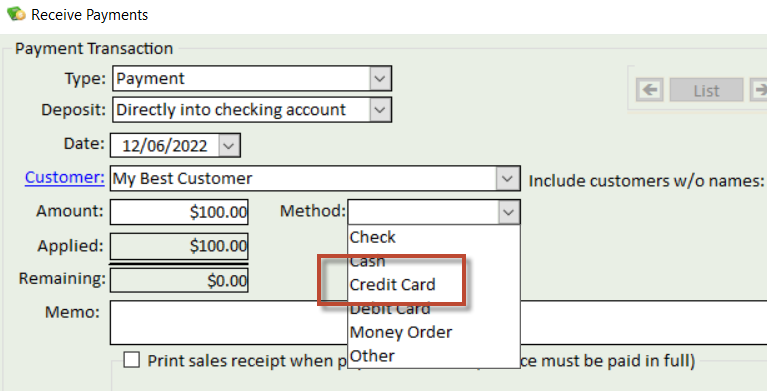
If you have setup a merchant account to accept credit card payments on invoices, when you select the Credit Card payment option in the Receive Payment section, Brass Jacks Bookkeeper will link to the Merchant Service Provider for a credit card authorization screen in order to capture credit card information from the customer.
You must be connected to the Internet in order to process the credit card payment. The screen to capture credit card information will look like this:
When you enter the credit card information, the Submit button will be enabled.
Upon a successfull charge, a Transaction Successful message will get returned.
From here, click the Save button which will mark the payment transaction as being successfully applied to the invoice and store the authorization code in case of returns.
It's important that even in this case, click the Save button so that Brass Jacks Bookkeeper doesn't automatically apply the payment. For declined transactions, when the Save button is clicked, Brass Jacks Bookkeeper will reset the payment amount to $0.00 on the Receive Payment screen. At this point, you can either cancel the payment transaction or try the card again by clicking the Charge button.
Use the Cancel button if you decide not to attempt the credit card charge at all. Brass Jacks Bookkeeper needs to remain in sync with the Merchant Service as to all charge transactions. Using the Save button to close out of this screen whether authorized or declined will help insure that synchronization occurs.
